
I’m currently migrating an RCP application to Helios (3.6.1). I migrated over my target platform and fired up the export product wizard. The build completed successfully, but there was no executable in my output directory.
I spent a while chasing my tail trying to figure out if there was some hidden build error occurring, maybe a bad icon path or something. It finally occurred to me to actually examine the settings in the Product Configuration Editor, and I found that there is a checkbox labelled “The product includes native launcher artifacts” and it was not checked. Ugh.
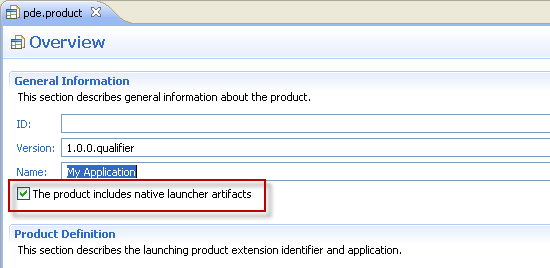
What’s odd is that this checkbox existed in Eclipse 3.5 but it didn’t cause any problems until now. Anyway, I’m just throwing this out there to help any other poor souls who find themselves in this situation.
Now I can finally have lunch!